
Download The EventMobi App For RVs Move America Week
Stay connected in Washington, D.C. by downloading our event app on your phone! You'll be able to find schedules, locations, connect with other attendees and more all in one convenient location. Follow these four steps to get set up on the EventMobi app before RVs Move America Week:
Step 1: Download the EventMobi App
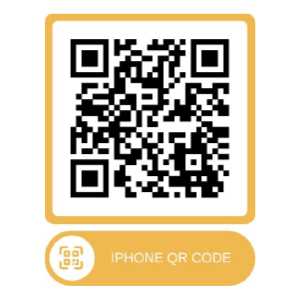
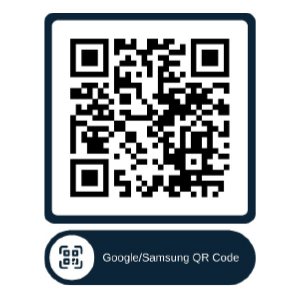
Please scan the QR Codes below, or search for “EventMobi” in the Apple App Store (iPhone/iPad) or Google Play Store (Android) and download the free app to your device.
 |  |
Step 2: Enter the RVs Move America Week Access Code
Open the app and navigate to the event section. Enter the RVs Move America Week-specific access code to launch the portal.
The RVs Move America Week Access Code is: rvia-rvma
Step 3: Log In with Your Registered Email
Use the same email address you used to register for RVs Move America Week. First-time users will be prompted to create a password. Upon creation of your password, you will be able to access the RVs Move America Week portal.
Note: You must have completed your RVs Move America Week event registration to access the app.
Step 4: Enable Notifications
Once logged in, go to the Preferences section and ensure both the “Event Emails” and “Event Notification” settings are toggled on. In addition, please check your phone’s settings to confirm that EventMobi notifications are enabled at the device level.
Live updates and schedule changes will be delivered via push notification throughout the event.
We can't wait to see you in just a few weeks in Washington, D.C.! For more information on RVs Move America Week, visit our website.
Please Sign in to View
Log in to view member-only content.
If you believe you are receiving this message in error contact us at memberservices@rvia.org.